This is a example for JLayer class in javax.swing package. JLayer is a new swing feature in Java 7. In this example, JLayer is used to decorate and validate the Text Field & Date Field in the User interface.
This article is built into two steps. The first step has the following:
- Creation of Validator UI
createValidatorUImethod is invoked inRunnableClass method run- In
createValidatorUImethodJFrameis created ValidatorPane is created throughcreateValidatorPaneValidatorPaneis added to theJFrame- in the
createValidatorPane,JLayeris created with parametersTextFieldandValidationLayera subclass ofValidationLayer JLayerValidatorValidation Layer
In the second step the following is performed:
There are two classes in this example:
1.JLayerValidator Class
In JLayerValidator class, there are three methods main, createValidatorUI and createValidatorPane. In the createValidatorUI method, JFrame is created. JFrame consisting of Validator Box. Validator Box has integer field Panel and DateField Panel. JLayer TextField & Date Field are added to respective panel. Validation Layer object (instance of LayerUI subclass) is passed on to the parameter in the construction of JLayer for Text and Date Fields in createValidatorPane method.
JLayer is instantiated using one with parameters view (panel in this example) and ValidationLayer a subclass of LayerUI in the createValidatorPane.
JLayerValidator.java
package com.javacodegeeks.JLayer;

import java.awt.Color;
import java.awt.Dimension;
import java.awt.Graphics;
import java.awt.Graphics2D;
import java.awt.RenderingHints;
import java.text.DateFormat;
import java.text.NumberFormat;

import javax.swing.Box;
import javax.swing.JComponent;
import javax.swing.JFormattedTextField;
import javax.swing.JFrame;
import javax.swing.JLabel;
import javax.swing.JLayer;
import javax.swing.JPanel;
import javax.swing.SwingConstants;
import javax.swing.plaf.LayerUI;

/**
 *This example demonstrates the usage of JLayer and LayerUI class
 * to decorate the text field and datefield
 * @author bhagvan kommadi
 *
 */
public class JLayerValidator {

	/**
         * Creating a validator UI
	 *
	 */
	public static void main(String[] args) {
		// TODO Auto-generated method stub

		javax.swing.SwingUtilities.invokeLater(new Runnable(){

				public void run()
				{
					createValidatorUI();
				}

		}
				);

	}

	/**
	 * This method creates a JFrame and validator pane box
	 * is added to the frame
	 */
	public static void createValidatorUI()
	{
		JFrame frame = new JFrame("ValidatorUI");

		JComponent component = createValidatorPane();

		frame.add(component);

		frame.pack();

		frame.setDefaultCloseOperation(JFrame.EXIT_ON_CLOSE);

		frame.setVisible(true);

	}

	/**
	 * This method creates the Vertical Box
	 * Textfield and Date field panels are added
	 */

	private static JComponent createValidatorPane()
	{

	   Dimension labelDimension = new Dimension(100,30);

	   Box box = Box.createVerticalBox();

	   LayerUI validationLayer =  new ValidationLayer();

	   JLabel integerJLabel = new JLabel("Integer");
	   integerJLabel.setHorizontalAlignment(SwingConstants.RIGHT);
	   integerJLabel.setPreferredSize(labelDimension);

	   NumberFormat integerFormat = NumberFormat.getInstance();
	   JFormattedTextField integerTextField = new JFormattedTextField(integerFormat);
	   integerTextField.setColumns(10);
	   integerTextField.setFocusLostBehavior(JFormattedTextField.PERSIST);
	   integerTextField.setValue(40);

	   JPanel integerPanel = new JPanel();
	   integerPanel.add(integerTextField);
	   integerPanel.add(new JLayer(integerTextField,validationLayer));

	   JLabel dateJLabel = new JLabel("Date");
	   dateJLabel.setHorizontalAlignment(SwingConstants.RIGHT);
	   dateJLabel.setPreferredSize(labelDimension);

	   DateFormat dateFormat = DateFormat.getDateInstance();
	   JFormattedTextField dateTextField = new JFormattedTextField(dateFormat);
	   dateTextField.setColumns(16);
	   dateTextField.setFocusLostBehavior(JFormattedTextField.PERSIST);
	   dateTextField.setValue(new java.util.Date());

	   JPanel dateJPanel = new JPanel();
	   dateJPanel.add(dateTextField);
	   dateJPanel.add(new JLayer(dateTextField,validationLayer));

	   box.add(Box.createGlue());
	   box.add(integerPanel);
	   box.add(Box.createGlue());
	   box.add(dateJPanel);


	   return box;

	}


	}
2.Validation Layer Class
ValidationLayer is a subclass of LayerUI for formatted textField.ValidationLayer subclass of LayerUI is instantiated with a default constructor. LayerUI class has methods paint, installUI and uninstallUI which are overridden in ValidationLayer. Paint method gives complete control over drawing a component. Panel is rendered to an offscreen image.
ValidationLayer.java
        /**
	 * This class is used for validation of
	 *  fields. JLayer is instantiated using this
	 *  instance as parameter
	 *
	 */
	class ValidationLayer extends LayerUI
	{
		@Override

		public void paint (Graphics graphics, JComponent component)
		{
			super.paint(graphics,component);

			JLayer jLayer = (JLayer)  component;

			JFormattedTextField formattedTextField = (JFormattedTextField) jLayer.getView();

			if(!formattedTextField.isEditValid())
			{

				Graphics2D graphics2D = (Graphics2D) graphics.create();

				graphics2D.setRenderingHint(RenderingHints.KEY_ANTIALIASING, RenderingHints.VALUE_ANTIALIAS_ON);

				int width = component.getWidth();

				int height = component.getHeight();

				int spacing = 10;

				int padding = 5;

				int x = width - padding - spacing;

				int y = (height - spacing)/2;

				graphics2D.setPaint(Color.red);
				graphics2D.fillRect(x, y, spacing+1, spacing+1);
				graphics2D.setPaint(Color.white);
				graphics2D.drawLine(x,y, x+spacing, y+spacing);
				graphics2D.drawLine(x,y+spacing,x+spacing, y);

				graphics2D.dispose();


			}


		}
	}
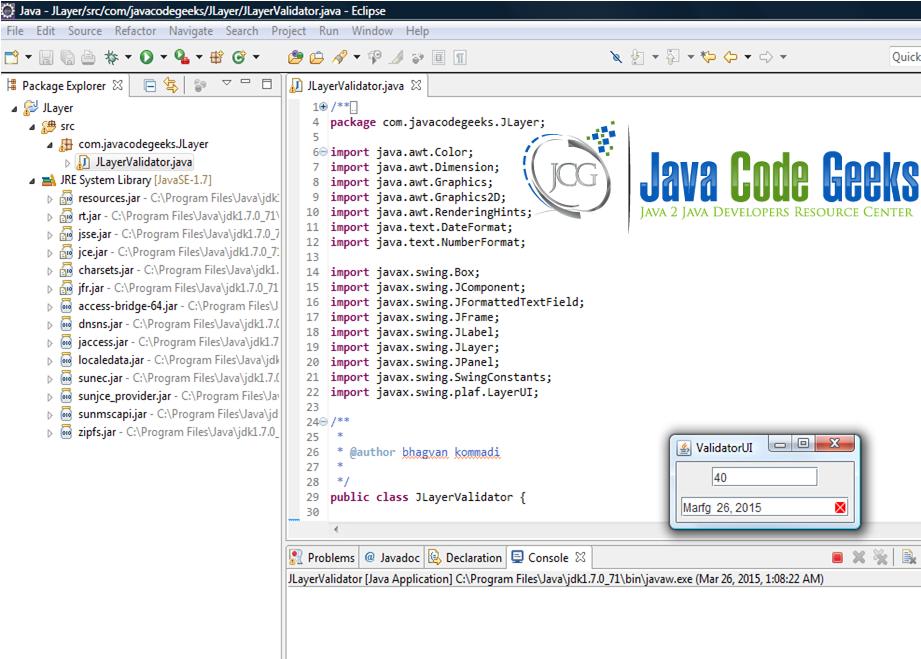
JLayer and LayerUI can be used for decoration and validating text fields.
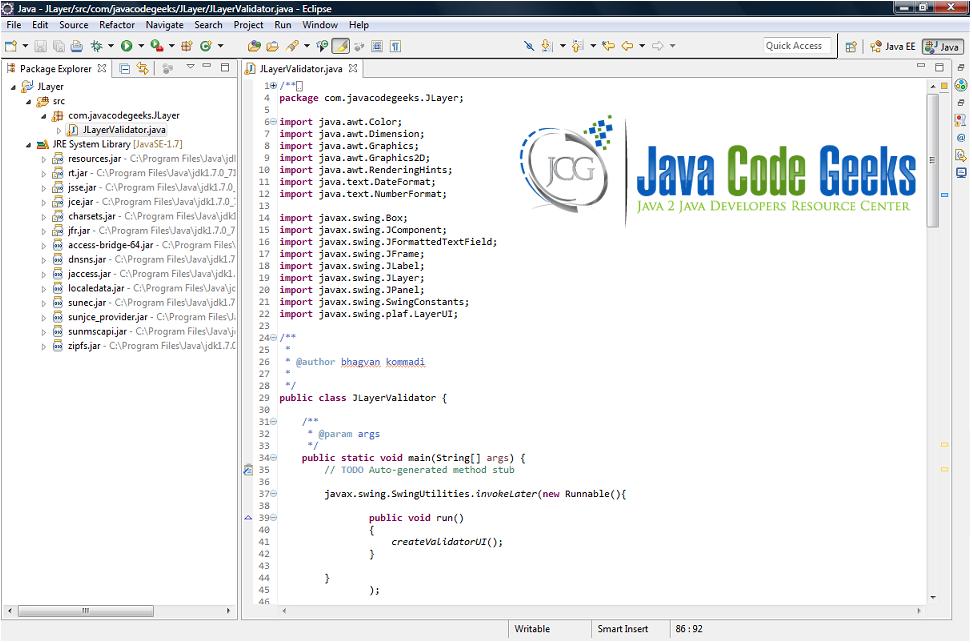
ValidationLayerUI class (source code enclosed) is used to show the data is invalid.3. Project Structure
4. GUI
5. Closing Words
JLayer can be implemented for decorating and validations. JLayer is a solution to do custom painting over compound component and catching input events from its subcomponents.
6. Download Java Source Code
You can download the eclipse project of this example: JLayerValidator